
ประกาศ
[Notice] Window Security Misdiagnosing Issue
Dear Mutizens,
Currently, we have confirmed an issue where the game cannot be executed because Windows Security is misdiagnosing a MU Online file, and we are providing this notice.
We are currently investigating this issue and will do our best to inform you through a notice as soon as it is resolved.
■ Issue Detail:
• For those currently playing the game, please continue to use the game without logging out.
• If you are unable to execute the game due to the above issue, please check the measures below.
Windows > Virus & threat protection >Manage settings for Virus & threat protection > Add or remove exclusions > Add an exclusion > C:\WEBZEN\MU (Add)
■ Setting guide:
1) Search > Enter Settings and access the Settings page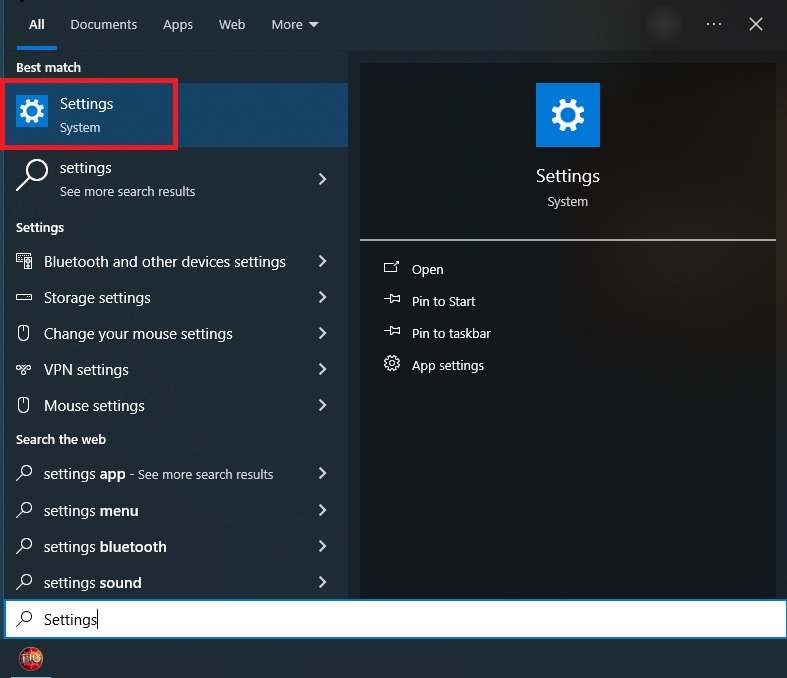
2) Access Windows Security Update & Security > Window Security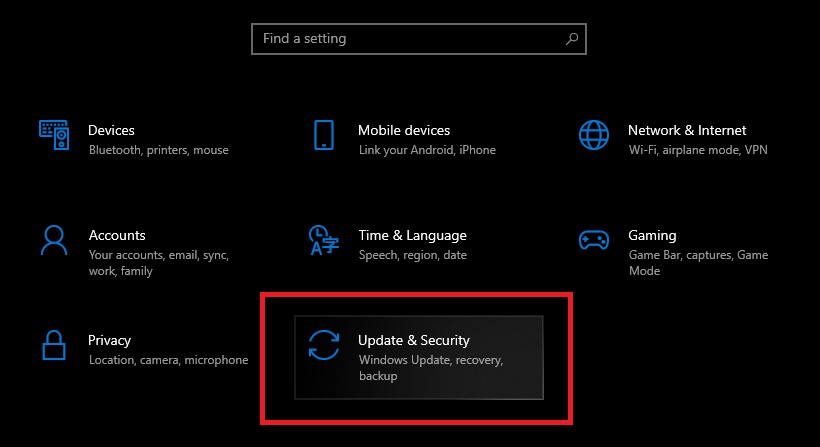
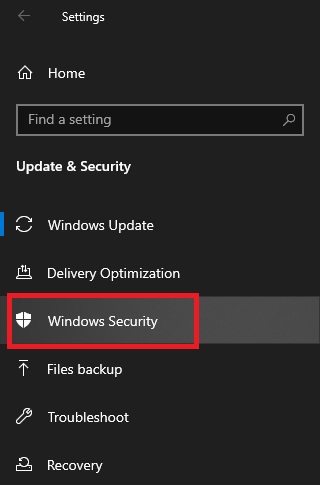
3) Click Virus & threat protection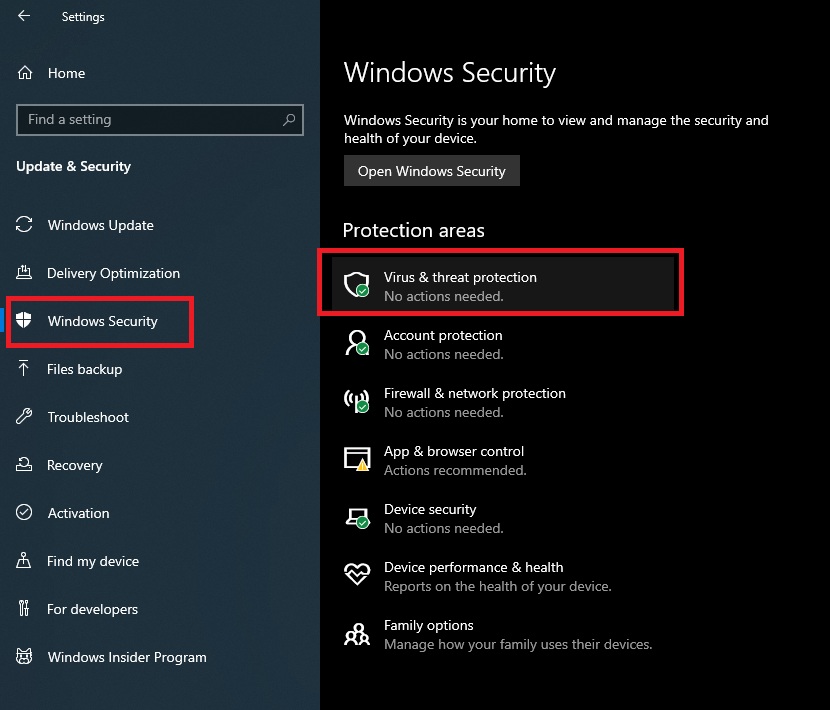
4) Under Virus & threat protection settings, click Manage settings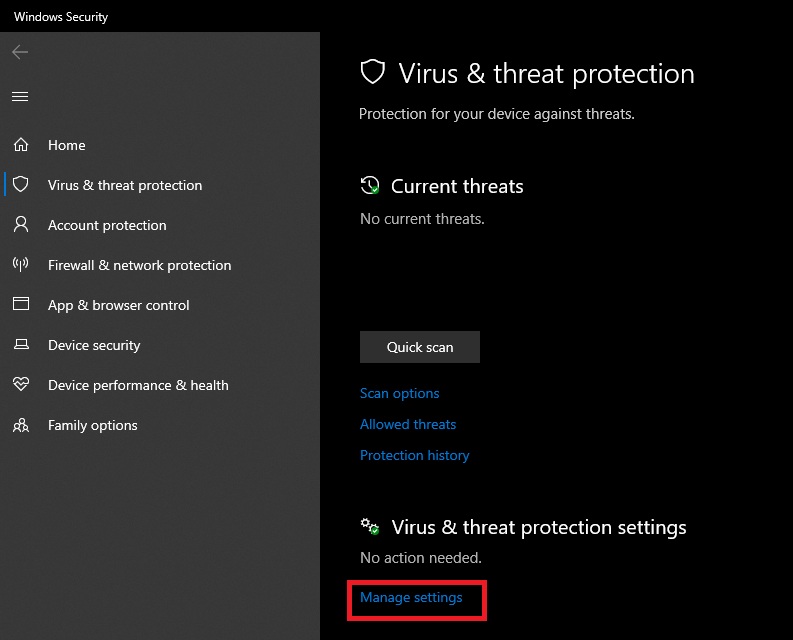
5) Click Add or remove exclusions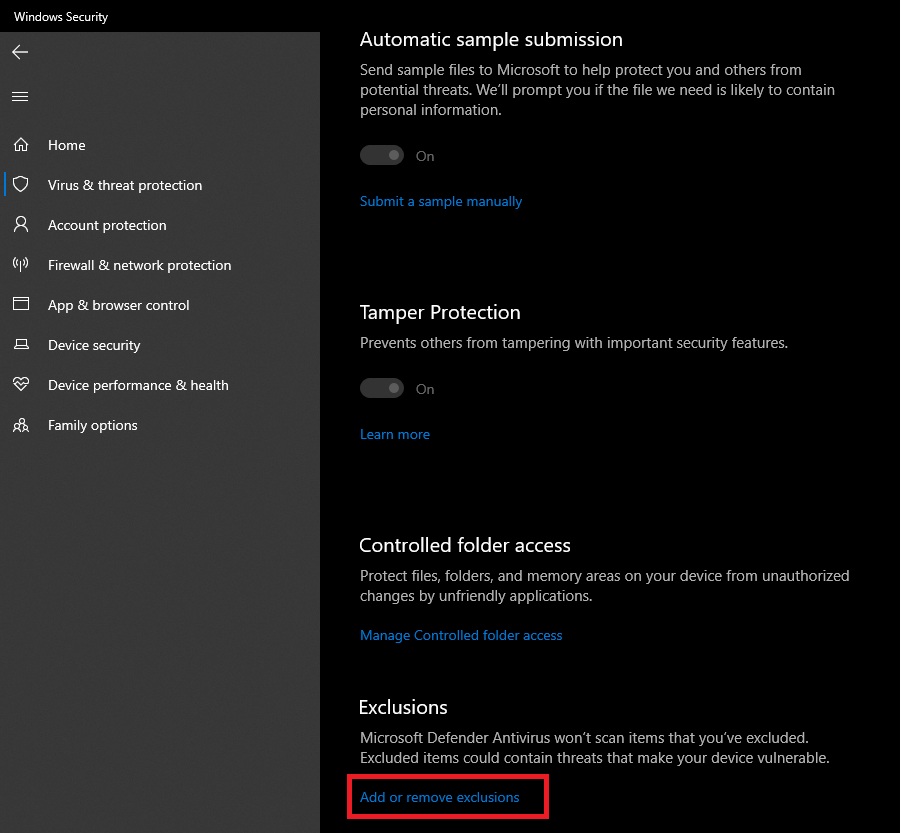
6) Add an exclusion > Click Folder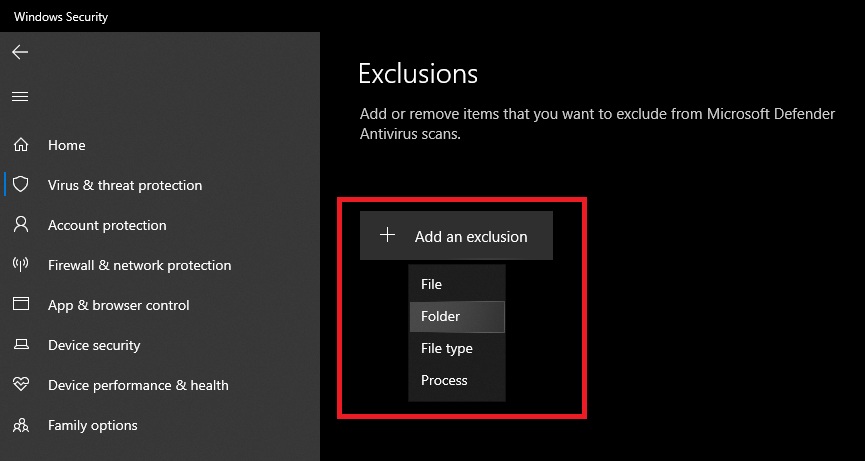
7) Proceed to upload the MU installation folder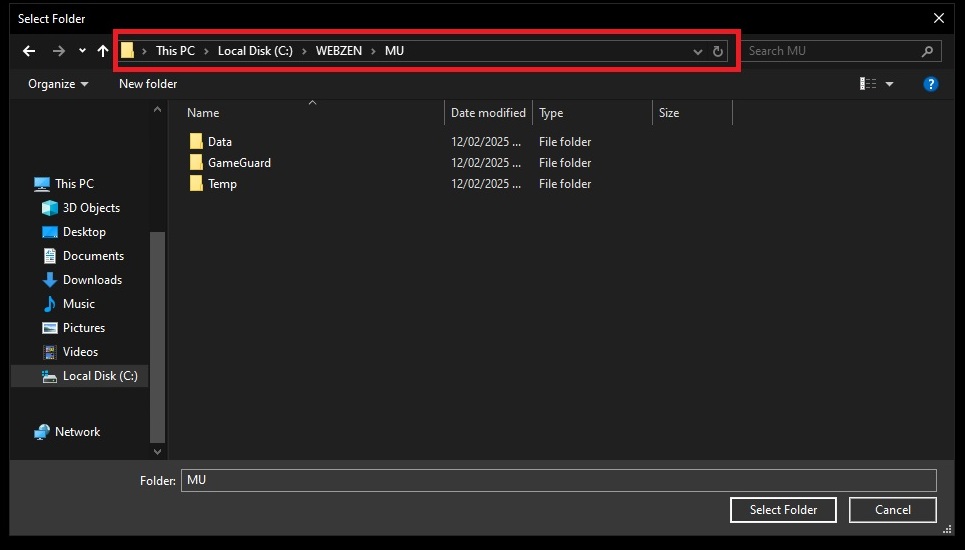
8) Check for correct registration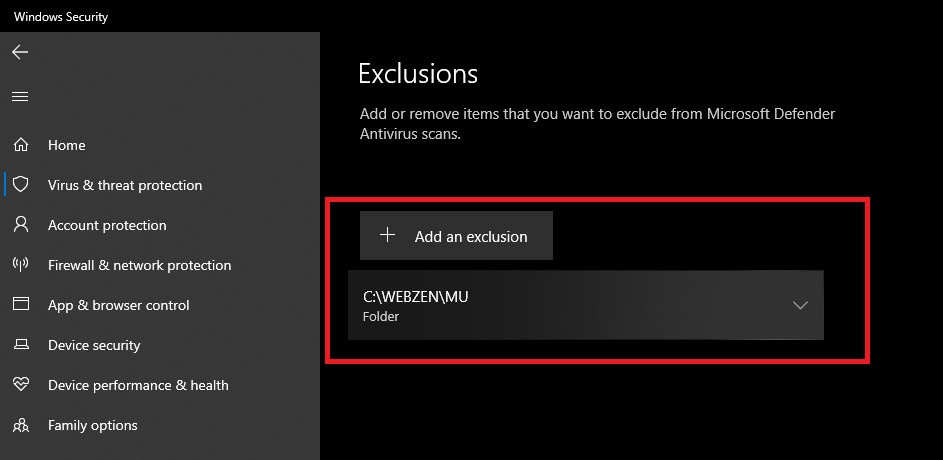
The game folder installation path may vary for each customer, so please check your installation path directly and add it.
We sincerely apologize for the inconvenience caused in your use, and we will do our best to provide a more stable service.
Thank you,
MU Support Team